
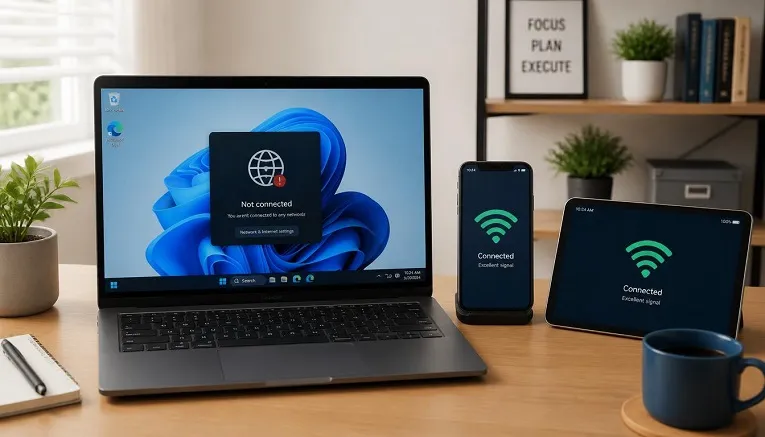
If every other device on your network stays connected but your Windows 11 PC keeps disconnecting, the problem is almost never the router. It’s a Windows 11 power-saving setting that other devices don’t have, and it’s usually fixed in under five minutes.
Why this happens only on Windows 11
Phones, consoles, and smart TVs don’t run Windows’ power management stack, so they’re not affected by it. Windows 11 is allowed, by default, to turn off your WiFi adapter briefly to save battery, and on some laptops this happens more aggressively than on desktops. That single setting explains the vast majority of “only my PC disconnects” cases.
Fix 1: Turn off power management for your WiFi adapter
- Right-click the Start menu and choose Device Manager.
- Expand Network adapters and find your WiFi adapter (it usually has “Wireless” or “WiFi” in the name).
- Right-click it, choose Properties, then open the Power Management tab.
- Untick “Allow the computer to turn off this device to save power.”
- Click OK and restart your PC.
This single change resolves the issue for most people, because it’s the setting other devices simply don’t have.
Fix 2: Check if your PC is on the “Public” network profile
A network set to Public applies stricter firewall rules that can interfere with connection stability on some routers.
- Click the WiFi icon in the taskbar and select your network’s Properties.
- Under Network profile type, switch it to Private.
Fix 3: Update or reinstall the WiFi driver
An outdated or corrupted driver is the second most common cause, especially after a recent Windows update. In Device Manager, right-click your WiFi adapter and select Update driver. If that doesn’t help, choose Uninstall device, restart your PC, and Windows will reinstall a fresh copy automatically.
Fix 4: Reset your network stack
If the problem persists, go to Settings → Network & Internet → Advanced network settings → Network reset. This reinstalls all network adapters and clears any corrupted configuration. You’ll need to re-enter WiFi passwords afterwards.
Fix 5: Rule out third-party software
VPN clients and some antivirus/firewall tools install their own network filter drivers, which can conflict with the WiFi adapter. Temporarily disabling your VPN or running a clean boot will confirm whether one of these is the cause.
Quick diagnostic checklist
- Only the PC disconnects, other devices are fine → power management setting (Fix 1)
- Disconnects started right after a Windows update → driver (Fix 3)
- Disconnects happen on public WiFi specifically → network profile (Fix 2)
- Disconnects started after installing a VPN or security tool → third-party conflict (Fix 5)
FAQs
Could it still be my router even if only my PC disconnects?
It’s unlikely but not impossible. If Fixes 1 through 5 don’t help, try connecting your PC to a different WiFi network (like a phone hotspot) to rule the router out completely.
Will turning off power management drain my laptop battery faster?
The effect is minimal, typically a few percent over a full day, and it’s a worthwhile trade for a stable connection.
Does this apply to Windows 10 as well?
Yes, the same power management setting exists in Windows 10, though it’s slightly less aggressive by default than in Windows 11. If your connection is stable but games specifically still feel laggy, that’s usually a different issue, see our guide on why online games keep lagging.