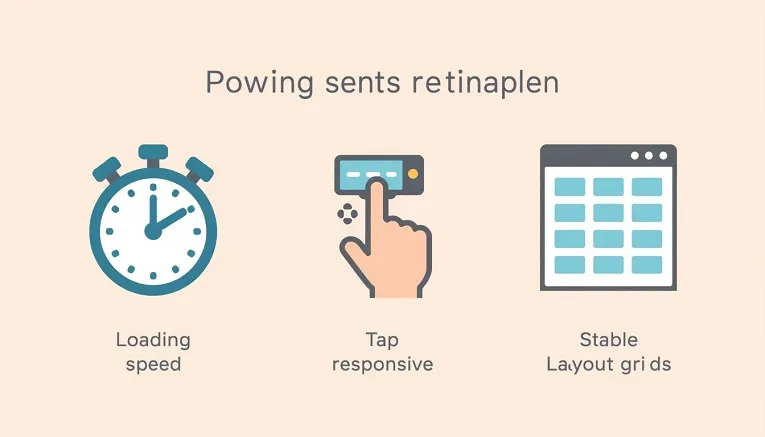
Core Web Vitals are three simple measurements Google uses to judge whether visiting your website feels good: does it load quickly, does it respond right away when clicked, and does it stay visually still while loading? You don’t need to be a developer to understand or improve them.
The three metrics, explained without jargon
1. Largest Contentful Paint (LCP): “How fast does the page load?”
This measures how long it takes for the biggest visible thing on your page, usually a hero image or headline, to fully appear. Google wants this under 2.5 seconds. If a visitor stares at a blank or half-loaded screen for several seconds, that’s a poor LCP.
2. Interaction to Next Paint (INP): “Does the page respond when I click something?”
This measures the delay between a visitor clicking, tapping, or typing, and the page actually reacting. Google wants this under 200 milliseconds. A page that “freezes” for a moment after you tap a button has a poor INP.
3. Cumulative Layout Shift (CLS): “Does stuff jump around while loading?”
This measures how much content unexpectedly moves while a page is loading. Google wants this under 0.1. The classic example: you try to tap a button, but an ad loads above it a split second earlier and pushes it down, so you tap the wrong thing. That’s a poor CLS.
Why these three specifically?
Google settled on these three because they cover the three things that actually annoy visitors: waiting too long, clicking and nothing happening, and things moving under your finger. Google uses real visitor data, not just lab tests, to score sites on these three measurements, and treats them as a ranking signal.
How to check your own scores (no coding required)
- Go to PageSpeed Insights (pagespeed.web.dev) and enter your website address.
- Look at the “Discover what your real users are experiencing” section for your actual visitor data, or the lab results below it for a simulated test.
- Each of the three metrics will be marked green (good), orange (needs improvement), or red (poor).
Simple fixes if you’re not a developer
- For LCP: compress your images before uploading (tools like TinyPNG do this for free) and use a caching plugin if you’re on WordPress.
- For INP: remove plugins, widgets, or embedded scripts (chat widgets, ad networks, tracking pixels) you don’t actually need.
- For CLS: make sure images have their width and height set before upload, and avoid ads or banners that load in without reserved space. While you’re tidying up technical basics, it’s also worth checking whether your site has a favicon set up correctly, another small detail that affects how polished your site looks in search results and browser tabs.
FAQs
Do Core Web Vitals actually affect my Google ranking?
Yes, Google has confirmed they’re part of its Page Experience ranking signals, though good content still matters more overall. Think of Core Web Vitals as a tie-breaker between similar pages, not a replacement for quality content.
How long does it take to see improvement after a fix?
PageSpeed Insights lab results update immediately. The real-user data Google actually uses for rankings takes around 4 to 8 weeks to fully reflect your changes.
Do I need a developer to fix all of this?
Not for the basics. Image compression, caching plugins, and removing unnecessary widgets can be done by most site owners. Deeper fixes, like rewriting site code, do need a developer.