Best Productivity Apps in 2026
If you have typed “best productivity apps” into a search bar, you have probably already downloaded three apps this year that promised to fix your focus and then sat unused on your home screen. You are not alone. Most people do not need another app. They need to know which one actually solves their specific problem, and which ones are just clutter with a nice logo.
This guide skips the vague “it depends” answer. Below you will find our top overall pick, apps for specific situations like ADHD or student life, honest pricing information, and a simple framework for choosing between them.
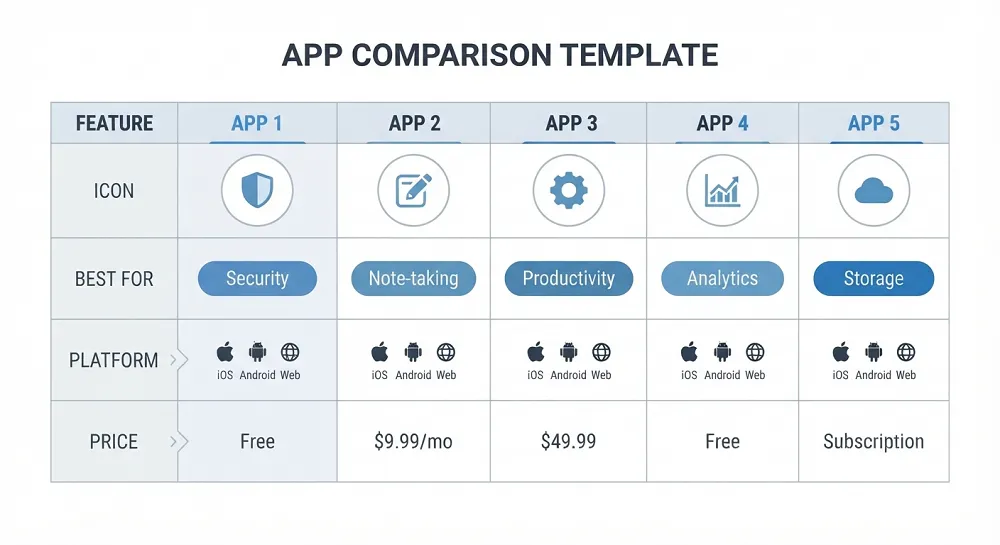
The Best Productivity Apps at a Glance
| App | Best For | Platforms | Price |
|---|---|---|---|
| Todoist | Simple, reliable task management | iOS, Android, web, desktop | Free plan, paid plan for a low monthly fee |
| Notion | All-in-one notes and project workspace | iOS, Android, web, desktop | Generous free plan, paid plans for teams |
| Google Calendar | Free scheduling and time blocking | iOS, Android, web | Free |
| Forest | Gamified focus sessions | iOS, Android | One-time purchase or free with ads |
| Toggl Track | Time tracking without micromanaging | iOS, Android, web, desktop | Free plan, paid plans for reporting features |
| TickTick | Task manager with a built-in Pomodoro timer | iOS, Android, web, desktop | Free plan, low-cost premium plan |
If you only take one thing from this article, take this: start with Todoist if you want simple tasks done well, or Notion if you want everything in one place and do not mind a short learning curve.
How We Picked These Apps
We looked at apps that solve a real, common problem rather than ones with the flashiest marketing. Each app on this list needed a workable free tier or a fair trial, clear pricing with no hidden catches, support on the platforms most people actually use, and a track record of regular updates. We also weighed how steep the learning curve is, because an app that takes three weeks to set up properly is not helping your productivity this month.
We did not include apps purely because they are new or because they use the word AI in their marketing. Several well-known names did not make certain sections of this list because their free tier is too limited or their interface adds more friction than it removes.
How to Choose the Right Productivity App for You
Before you download anything, work out what is actually going wrong. Most people who search for productivity apps fall into one of these groups.
You forget things. You need a task manager, not a project management tool. Something like Todoist will serve you better than Notion, because it gets out of your way.
You feel scattered across five different apps. You want a single workspace like Notion or ClickUp, even though it takes a weekend to set up properly.
You get distracted constantly. No task manager will fix this. You need a focus or blocking app such as Forest or Freedom.
You lose track of your day. A calendar app with time blocking, like Google Calendar or Motion, will help more than a to-do list ever will.
A Quick Self Check
Ask yourself these three questions before choosing an app.
- Do I need to remember tasks, or do I need to actually sit down and do them?
- Am I working alone, or do other people need to see my progress?
- Would I rather learn one powerful tool, or use three simple ones?
Your answers point you toward a task manager, a workspace tool, a focus app, or a small combination of all three. There is no single correct answer here. A freelance writer and a university student have completely different needs, even if they both search for the same term.
The Best Productivity Apps Overall
Todoist: Best for Simple Task Management
Todoist has stayed near the top of this category for years because it does one job and does it well. You type a task, it understands natural language like “pay rent every 1st of the month,” and it gets out of your way. There is no clutter and no forced onboarding tour.
The free plan covers a reasonable number of active projects, which is enough for most personal use. The paid plan adds reminders, more projects, and productivity tracking through a feature called Karma.
It works well if you want a clean list and nothing else. It works less well if you need shared documents, wikis, or a visual board, in which case Notion or Trello will suit you better.
Notion: Best All-in-One Workspace
Notion combines notes, task lists, databases, and simple project boards into one app. Students use it for lecture notes and assignment trackers. Small teams use it for wikis and roadmaps. Freelancers use it as a client hub.
The trade-off is setup time. Notion is a blank canvas, not a finished product, so you either build your own system or copy a free template from its gallery. Once it is set up, it genuinely reduces the number of apps you need open at once.
Choose Notion if you like customising things and do not mind a short learning curve. Skip it if you want something that works the moment you open it.
Google Calendar: Best Free Calendar and Time Blocking Tool
Google Calendar rarely gets called exciting, but it is free, syncs instantly across devices, and integrates with almost everything else you already use, including Gmail and Zoom. Time blocking, where you schedule specific hours for specific tasks rather than relying on a to-do list, works particularly well here because you can drag and resize events in seconds.
If your problem is a scattered, reactive day rather than forgotten tasks, this is the tool to start with, and it costs nothing.
Toggl Track: Best for Understanding Where Your Time Actually Goes
Most people underestimate how long tasks take. Toggl Track solves this with a one click timer you start and stop as you work. Over a week or two, the reports show you exactly where your hours go, which is often surprising.
Freelancers use it to bill clients accurately. Everyone else can use it simply to spot time wasters, like the “quick email check” that quietly eats forty minutes.
TickTick: Best Hybrid of Task List and Focus Timer
TickTick works like Todoist but bundles in a Pomodoro style focus timer and habit tracker in the same app. If you like the idea of one app covering both your task list and your focus sessions, this saves you from juggling two separate tools.
Best Free Productivity Apps
You do not need to spend money to get organised. Google Calendar is completely free with no meaningful limits for personal use. Todoist’s free plan covers a solid number of projects, which is plenty if you are not running a business through it. Trello’s free plan works well for visual, board based planning, especially for group projects or simple client work. TickTick’s free tier includes the Pomodoro timer, which many paid apps charge extra for.
The apps worth paying for are usually the ones where the free tier genuinely limits you, such as needing more than a handful of active projects or wanting detailed reporting. Try the free version first. Only upgrade once you hit an actual limit, not because a pricing page made premium features look appealing.
Best AI Productivity Apps
AI features in productivity apps range from genuinely useful to marketing fluff. The useful end includes tools that handle scheduling automatically, based on your existing calendar and priorities, rather than you dragging events around yourself. Motion is one example, building your day for you and rearranging it when meetings change.
Meeting and note transcription is another area where AI adds real value. Instead of typing notes during a call, an AI note taker records the conversation and produces a summary with action items afterwards, saving genuine time rather than just adding a chatbot to an existing app.
A general purpose AI assistant such as ChatGPT can also work as a lightweight productivity tool on its own. People use it to break a vague, overwhelming task into a clear step-by-step plan, or to draft the first version of an email so they are not staring at a blank page.
The honest advice here is to be sceptical of apps that simply bolt a chat window onto an old interface and call it AI powered. Look for AI that removes a step you used to do manually, not one that adds an extra step of typing a prompt.
Best Productivity Apps for Students and for ADHD
For Students
Students juggle lecture notes, assignment deadlines, and group projects, often across several different subjects at once. Notion works well here because you can build one dashboard with a class schedule, a note page per module, and an assignment tracker, all linked together. If Notion feels like too much setup during a busy term, Todoist alone will still keep deadlines from slipping through the cracks.
For focus during revision, Forest is popular because the small reward of a growing tree gives you a reason to put your phone down that a plain timer does not provide.
For ADHD
Apps that work well for ADHD tend to share three traits: low friction to add a task, visual rather than text-heavy layouts, and built-in structure so you are not relying on memory alone. TickTick’s quick add feature and Forest’s visual reward system both fit this pattern well.
Avoid tools with a steep setup process, since an app that takes real effort to configure is one you are less likely to keep using. A simple task manager you actually open every day will outperform a powerful one that gathers dust after week one.
Best Gamified Productivity Apps
Turning tasks into a small game is not a gimmick. It works because it gives your brain an immediate reward, rather than a distant one, which is often the missing piece when a task feels boring or unpleasant.
Forest is the clearest example. You plant a virtual tree at the start of a focus session, and it grows as long as you leave your phone alone. Pick your phone up too soon and the tree dies. It is simple, but the small stakes are often enough to keep people off social media for twenty-five minutes.
Habitica takes the idea further by turning your entire to-do list into a role-playing game, complete with a character that levels up as you complete real-life tasks. It suits people who respond well to structure and light competition, and it is worth trying if a plain checklist has never held your attention for long.
What Productivity Communities Actually Recommend
Search Reddit and similar forums for productivity app threads and a pattern shows up quickly. Simple, boring tools tend to get recommended far more often than flashy new AI apps. Todoist and Google Calendar come up constantly, usually with comments along the lines of “I tried five other apps and came back to this.”
There is also a common warning in these threads about spending more time customising a productivity system than actually being productive, particularly around heavily templated Notion setups. It is worth taking seriously. The best app is the one you still open in three months, not the one with the most features on launch day.
Building a Productivity Stack Instead of Relying on One App
No single app handles tasks, notes, scheduling, and focus equally well. Trying to force one tool to do everything usually means it does all four jobs poorly. A small, deliberate stack of two or three apps, each handling one job, tends to work better in practice.
A simple version for most people looks like this: one task manager for what needs doing, one calendar for when you are doing it, and one focus app for the moments you cannot sit still. A student might pair Notion for notes with Google Calendar for deadlines and Forest for revision sessions. A freelancer might use Todoist for tasks, Toggl Track for billing, and Google Calendar for client calls.
The risk with a stack is app overload, where you end up managing your apps instead of your work. Keep it to three tools at most, and make sure each one has a clearly different job so they never compete for the same task.
Frequently Asked Questions
What is the best productivity app overall?
For most people, Todoist is the best starting point because it handles tasks simply and reliably without a steep learning curve. If you want notes and tasks combined in one place, Notion is the stronger choice, though it takes more time to set up.
What are the best free productivity apps?
Google Calendar, Todoist’s free plan, Trello, and TickTick’s free tier all offer genuine value without a subscription. None of them feel crippled compared with the paid version for everyday personal use.
What is the best productivity app for students?
Notion suits students who want one dashboard for notes, classes, and assignments. Todoist works better if you just want a reliable deadline tracker without building anything from scratch.
What is the best productivity app for ADHD?
Look for apps with quick task entry and visual feedback rather than dense text lists. TickTick and Forest both fit this well, largely because they lower the effort needed to start.
Is Notion or Todoist better?
They solve different problems. Todoist is a task manager. Notion is a workspace that can include task management alongside notes, wikis, and databases. Choose Todoist if you want simplicity, and Notion if you want one flexible system and are willing to set it up properly.
Are AI productivity apps worth it?
Some are. AI scheduling tools and meeting transcription genuinely save time. Be cautious of apps that simply add a chat window to an existing interface without removing any real work from your day.
How many productivity apps should I actually use?
Two or three is usually the practical limit. Beyond that, you spend more time switching between apps and keeping them in sync than you save by using them.
Final Verdict
If you want one honest recommendation, start with Todoist and Google Calendar together. Both are free, both take five minutes to set up, and together they cover tasks and time without demanding a new habit from you. Add a focus app like Forest if distraction, rather than forgetfulness, is your real problem. Only reach for something like Notion once you have outgrown the basics and actually know what you need it to do.
This article focuses on the core apps and use cases most people search for. If you want picks tailored to your specific device, see our best productivity apps by platform guide, covering iPhone, Android, Mac, Windows, and Linux in more depth than a rushed paragraph here could.