What Is Web Hosting? A Simple Explanation
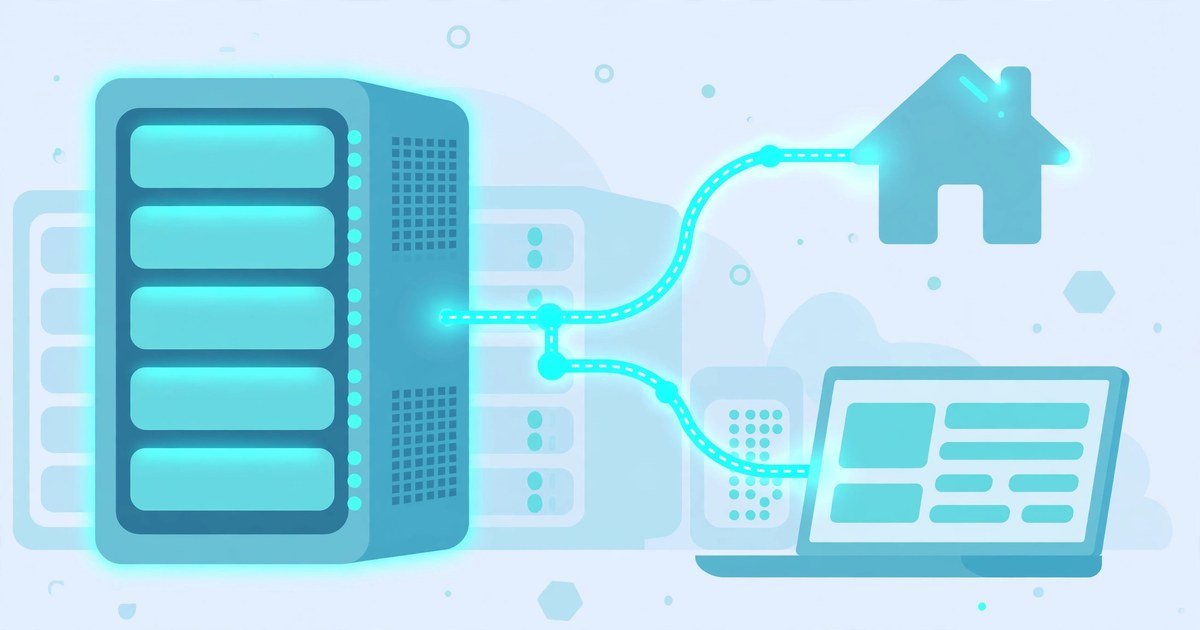
Web hosting is a service that stores your website’s files on a server and makes them available on the internet, day and night. When someone types your web address into a browser, the server sends your files to them, and the page appears on their screen. Without hosting, your website has nowhere to live and no way to reach visitors.
If you are planning your first website, hosting is one of the first terms you will meet. It sounds technical, but the idea is simple. This guide explains it in plain English, with no jargon and no sales pitch. You will learn how hosting works, what the main types are, and what a beginner actually needs.
The House Analogy
Think of your website as a house. Your domain name, such as yoursite.co.uk, is the street address. Web hosting is the plot of land the house sits on. The address tells people where to find you, but the land is where the house actually stands.
A domain name on its own does nothing. It is only a name. Without hosting, there is nothing for that name to point to, and visitors see an error page instead of your site. You need both pieces: the address and the place to build on.
A server is the computer that does the hosting work. It is a powerful machine that stays switched on and connected to the internet around the clock. A hosting company owns rows of these machines in secure buildings called data centres. When you buy a hosting plan, you rent space and computing power on one of those servers.
That rent covers more than storage. Your host also gives your site an IP address, manages the DNS records that connect your domain to the right server, runs the software that serves your pages, and usually adds tools for email, backups and security. You are renting a permanent, internet-connected home for your site instead of building and maintaining one yourself.
What Happens When Someone Visits Your Site
Hosting only makes sense when you see it in action. Here is what happens in the few seconds between someone typing your address and your page appearing.
Step 1: The browser looks up the address. Your visitor types your domain into their browser. The browser asks the Domain Name System, or DNS, which works like the internet’s address book. DNS turns your domain name into the IP address of your server.
Step 2: The browser asks the server for your files. The browser sends a request to that server. It asks for the files that make up your page: text, images, code and any data stored in a database.
Step 3: The server sends the files back. The server finds the files and sends them to the browser. The browser then puts them together and shows the page on screen.
Step 4: The page loads, images included. Every image on your page is a file the server must send. Large, uncompressed images slow this step down, which is why it pays to compress images for your website without losing quality. Choosing the right format matters too, so it helps to know the difference in JPG vs PNG vs WebP before you upload pictures to your site.
This whole exchange happens in a fraction of a second on a good host. On a slow or overloaded server, it drags. That is why your choice of host affects how fast your site feels, how much traffic it can handle, and how often it stays online.
The Main Types of Hosting
Hosting plans differ in how much of a server you get, how isolated your resources are, and how much technical work the host does for you. There are five main types. Most beginners only need to understand the first two.
Shared hosting
Shared hosting puts many websites on one server, and they all draw from the same pool of processor time, memory and storage. The host installs and maintains everything, and you manage your own site through a control panel. Because the cost of the server is split between many customers, this is the cheapest option. It suits personal sites, blogs and small business websites. The trade-off is that resources are limited, so a very busy site can outgrow it.
WordPress hosting
WordPress hosting is shared hosting that is set up for one application: WordPress. The server is tuned for WordPress, updates are often handled for you, and many plans include a one-click WordPress install. If you plan to build your site with WordPress, which most beginners do, this is the simplest place to start.
VPS hosting
A VPS, or virtual private server, is one physical server split into several virtual servers. Each one gets its own guaranteed share of processor, memory and storage, and it behaves like a separate machine. You get more power and control than shared hosting, but on an unmanaged VPS you are responsible for setting up, updating and securing the server yourself. It suits growing sites that have outgrown shared hosting.
Cloud hosting
Cloud hosting runs your site on a network of connected servers instead of one machine. If one server has a problem, another can take over, and resources can be added when traffic rises. It suits sites whose traffic goes up and down sharply. Usage-based pricing can make the monthly cost harder to predict.
Dedicated hosting
With dedicated hosting you rent a whole physical server for yourself. Nobody else’s websites share its resources, and you can configure it however you need. It suits large, high-traffic sites and businesses with strict requirements. It costs the most and needs real technical skill, or a paid management service.
| Type | Best for | Technical skill needed | Relative cost |
|---|---|---|---|
| Shared | First websites, blogs, small business sites | Low | Lowest |
| WordPress | WordPress sites of any small size | Low | Low |
| VPS | Growing sites that need more power | Medium to high | Medium |
| Cloud | Sites with traffic that rises and falls | Medium to high | Varies with use |
| Dedicated | Large, busy sites with strict needs | High | High |
What a Beginner Actually Needs
Hosting plans come with long feature lists, and most of them do not matter on day one. Here is what actually matters when you launch your first site.
A free SSL certificate. SSL is the padlock in the browser address bar. It encrypts the connection between your visitors and your site. Almost every host includes one for free now. If a plan charges extra for it, look elsewhere.
Automatic backups. Things go wrong: an update breaks a page, or a file gets deleted by mistake. Daily automatic backups mean you can restore your site in minutes. Check how long backups are kept before you buy.
One-click WordPress install. If you plan to use WordPress, a one-click installer saves you from setting up databases and files by hand. It is standard on shared and WordPress plans.
Helpful support. As a beginner, you will have questions. Live chat support that answers quickly is worth more than extra storage you will never use. Test it before you commit, if you can.
Enough storage and bandwidth. A small blog or business site needs very little of either. Do not pay for unlimited everything on day one. Start small and upgrade when your traffic grows. Upgrading a plan is far easier than moving to a new host later.
A strong password for your hosting account. Your hosting account controls your whole website, so protect it like you would your bank login. Use a unique password and turn on two-factor authentication. A best free password managers guide can help you store it safely.
The honest rule is simple. If this is your first website, start with shared hosting or managed WordPress hosting. Focus on SSL, backups and support, and upgrade only when your site outgrows the plan.
Frequently Asked Questions
What is web hosting in simple terms?
Web hosting is a service that stores your website’s files on a server connected to the internet, so people can visit your site at any time. It is like renting space for your website to live online.
Is web hosting the same as a domain name?
No. A domain name is your website’s address, while hosting is where its files are stored. You need both to put a website online. You can buy them from the same company or from different ones.
Do I need web hosting if I use a website builder?
Usually not. Website builders such as Wix include hosting in their plans, so you do not buy it separately. The trade-off is less control over your site than you get with separate hosting and WordPress.
How much does web hosting cost for a beginner?
Shared hosting for a small site typically costs a few pounds a month when paid yearly. Prices vary by host and by renewal terms, so check what the price becomes after the first term ends, not just the introductory offer.
Can I change my web host later?
Yes. You can move your website to a new host at any time, though moving a large site takes some work. Many hosts offer a free migration service that moves your files for you.
Conclusion
Web hosting is the service that gives your website a home on the internet. Your domain is the address, and hosting is the land the house sits on. When someone visits your site, their browser finds your server through DNS, and the server sends your files back so the page appears.
For most beginners, shared hosting or managed WordPress hosting is the right start. It is cheap, it needs no technical setup, and it grows with you. Learn the basics, pick a plan with SSL, backups and good support, and upgrade only when your site needs more.