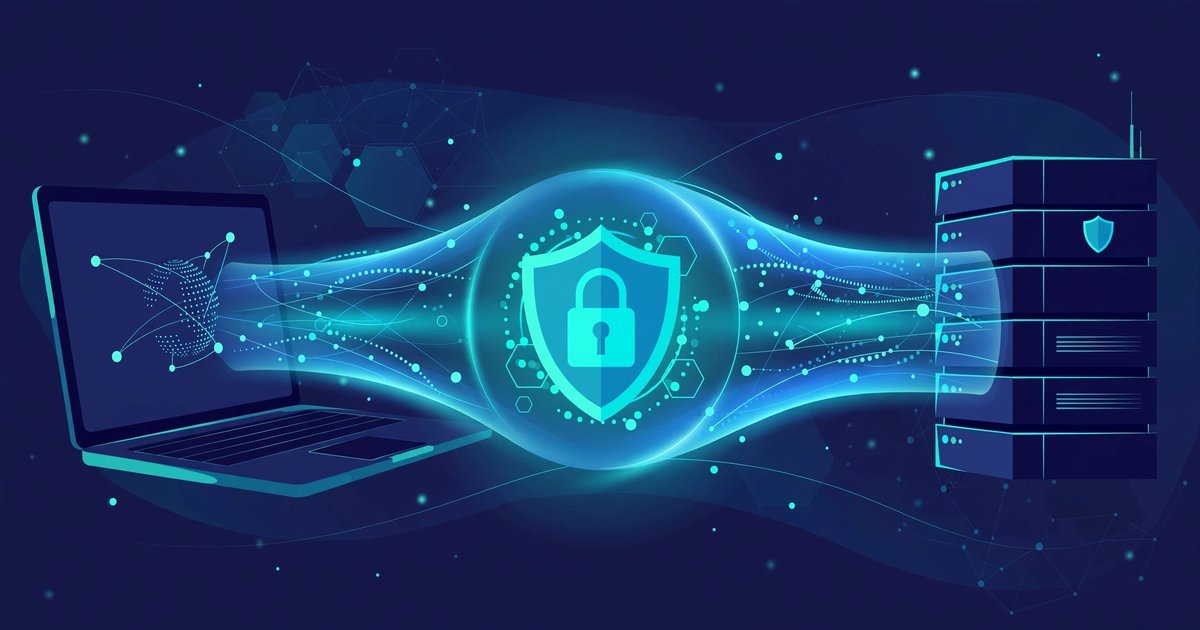
A VPN creates an encrypted tunnel between your device and a server run by the VPN provider. All your internet traffic travels through that tunnel. Your internet provider can no longer read it, and the websites you visit see the VPN server instead of you. That is the short answer. The honest answer is longer, because a VPN changes some things and leaves others exactly as they were.
This guide explains what a VPN actually does, what it does not do, and when it is worth using in the UK. No jargon, no product ranking, just the facts you need to decide for yourself.
The Tunnel, Explained in Plain English
VPN stands for virtual private network. The name sounds technical, but the idea is simple. Think of normal internet traffic as a postcard. Anyone who handles it along the way can read the message. A VPN puts that postcard inside a locked box. The postal service still moves the box, but it cannot open it. Only the VPN server, which holds the key, can unlock the contents and pass them on to their destination.
That locked box is the encrypted tunnel. When you switch a VPN on, your device and the VPN server agree on a secret key. From that moment, every piece of data leaving your device is scrambled before it leaves. Anyone who intercepts it between your device and the VPN server sees only unreadable code. The server decrypts the data and forwards it to the website or service you asked for. Replies travel back the same way.
Two things happen inside that tunnel. The first is encryption, which scrambles your data so nobody in the middle can read it. The second is IP address masking. Your IP address is the return address on your internet traffic. It can reveal your rough location and your internet provider. When you use a VPN, websites see the IP address of the VPN server instead of yours. Your location appears to be wherever that server sits.
What Changes When You Switch It On
Switching on a VPN changes who can see what. It does not change what you do online. Here is the practical difference.
Your internet provider (ISP) can no longer see which websites you visit, what you search for, or what you send and receive. It can still see that you connected to a VPN server, how much data you moved, and when. That is all. The content stays hidden inside the tunnel.
The owner of the WiFi network you are on is in the same position. A cafe, a hotel, or a train WiFi operator can see that you are using a VPN, but not what you are doing through it. That matters most on public WiFi, where the network itself may not be trustworthy.
The websites you visit see the VPN server’s IP address and location, not yours. They still see everything you do on the site itself. If you log in to an account, the site knows exactly who you are. A VPN hides your connection details, not your identity.
Who Can See What When Your VPN Is On
| Who is watching | What they can see | What they cannot see |
|---|---|---|
| Your ISP | That you use a VPN, the server address, how much data you move | The websites you visit or the content of your traffic |
| The WiFi owner | That you are connected to a VPN | Your browsing, logins, or messages |
| The VPN provider | Your real IP address and your traffic once it leaves the tunnel | Nothing, unless it keeps no logs by design |
| The website you visit | The VPN server’s IP address and location | Your real IP address or your location |
Notice the third row. A VPN moves your trust from your ISP to the VPN provider. The provider can see your traffic once it exits the tunnel. That is why the provider you pick matters more than any feature list. A provider with a clear no-logs policy, independently audited, is worth more than one with a thousand extra servers.
What a VPN Does NOT Do
VPN adverts often promise more than the technology can deliver. Here is what a VPN does not do.
It does not stop viruses or malware. A VPN encrypts your traffic. It does not scan files or block malicious downloads. You still need antivirus software and common sense about what you download.
It does not make you anonymous. Logging in to Google, Facebook, or your email account identifies you instantly, VPN or not. Cookies and device fingerprints can also track you across sites. A VPN hides your IP address. It does not erase the traces you leave when you use your accounts.
It does not stop phishing. A fake login page works just as well through a VPN. If you type your password into a scam site, the tunnel protects the journey, not the destination. If you are unsure how to tell a real email from a fake one, read our guide on how to spot a phishing email.
It does not hide you from your VPN provider. As the table above shows, the provider sits at the end of the tunnel. Choose one you trust, and check its logging policy before you pay.
It does not speed up your internet. Routing your traffic through an extra server usually slows it down a little. A good VPN keeps the slowdown small. A bad one can make video calls stutter and pages crawl.
It does not hide your browsing from your employer on a work device. If your employer manages the device, it may have monitoring software that sees your activity before the VPN tunnel even starts. The same applies to parental control software on a family computer.
When a VPN Actually Helps in the UK
A VPN is a tool, not a lifestyle. It helps most in a few clear situations.
Public WiFi. This is the strongest case. Cafe, hotel, airport, and train WiFi networks are shared with strangers, and some are barely secured at all. A VPN encrypts your traffic before it touches the network, so anyone snooping on that WiFi sees only scrambled data. If you work from cafes or travel often, a VPN earns its keep here. Our WiFi troubleshooting guide covers the other side of public networks: getting a stable connection in the first place.
Keeping your browsing private from your ISP. In the UK, ISPs can log the domains you visit and may use that data for advertising or share it when the law requires it. A VPN stops your ISP from seeing your browsing history. It does not stop the websites themselves from tracking you, but it closes the ISP’s window into your activity.
Shared networks at work or university. Student halls, shared offices, and co-working spaces run networks you do not control. A VPN adds a layer of privacy on a network where the operator can otherwise see a great deal.
Working from home on sensitive tasks. Many employers provide their own VPN for work. That is a different tool with the same idea: it secures the link between your laptop and the office network. If your employer offers one, use theirs for work, not a personal VPN.
A VPN helps less at home on your own trusted broadband, where your ISP is the only watcher and you already trust your router. It still hides your browsing from the ISP, so some people run it all the time. That is a fair choice, but it is a privacy preference, not a safety requirement.
Free vs Paid: the Real Tradeoff
Running VPN servers costs real money. A provider has to pay for it somehow. Paid VPNs charge a subscription. Free VPNs usually pay the bills in another way, and that way is often your data.
Some free VPNs sell browsing data to advertisers. Others cap your speed, limit how much data you can use, or show adverts inside the app. A few are honest and funded by a paid tier, with a genuinely limited free plan. The free tier of a reputable paid service is usually safer than a completely free service with no visible business model.
When you compare paid options, look past the server count and check these four things. First, a no-logs policy that has been independently audited, not just claimed on a marketing page. Second, a kill switch, which blocks all internet traffic if the VPN connection drops, so your real IP address never leaks by accident. Third, modern protocols such as WireGuard or OpenVPN. Fourth, clear ownership and a base in a country with strong privacy law.
Price is not a guarantee of quality, but a trustworthy VPN cannot be free forever. If a service charges nothing and explains nothing about how it survives, your data is the likely answer.
VPN Not Connecting? Start Here
If your VPN refuses to connect, work through these steps in order before you reinstall anything.
First, try a different server. The one you picked may be down or overloaded. Second, switch the protocol in the app settings, for example from WireGuard to OpenVPN, or the other way round. Third, restart the VPN app, then restart your device. Fourth, check whether your firewall or antivirus is blocking the app, and add an exception if needed. Fifth, update the app to the latest version. If none of that works, contact the provider’s support team and tell them the exact error message. Most connection failures are a server or protocol problem, not a fault on your device.
FAQs
Is a VPN legal in the UK?
Yes. Using a VPN is completely legal in the UK for ordinary browsing, work, and privacy. What stays illegal with a VPN is anything that was already illegal without one, such as fraud, harassment, or downloading pirated content.
Does a VPN slow down my internet?
A little, usually. Your traffic takes an extra hop through the VPN server, and encryption adds a small overhead. On a fast connection with a nearby server, you may not notice it. On a slow connection or a distant server, the drop can be obvious. Pick a server close to you for the best speed.
Does a VPN hide me from my ISP completely?
It hides what you do, not that you are doing it. Your ISP can see that you connected to a VPN server, the server’s address, and how much data you moved. It cannot see the websites you visited or the content of your traffic.
Do I need a VPN at home?
Not necessarily. On your own broadband, the main watcher is your ISP. A VPN hides your browsing from it, which some people value. On public WiFi, the case is much stronger, because the network itself may be hostile. If you mostly browse at home, a VPN is optional. If you often use public WiFi, it is worth having.
Can I use a free VPN safely?
Sometimes, but choose carefully. A limited free tier from a reputable paid provider is usually safe. A completely free service with no clear business model is a risk, because your data may be the product. Check the logging policy and read independent reviews before you install anything. And if you are comparing privacy tools, remember that a VPN and a private browsing mode do different jobs. Our guide on does incognito mode hide history explains the difference.
Conclusion
A VPN does one thing well: it encrypts your traffic and hides your IP address behind a server you choose. That protects you on public WiFi and keeps your browsing private from your ISP. It does not make you anonymous, it does not stop malware or phishing, and it does not hide you from the provider itself.
Use one when the situation calls for it, pick a provider you can trust, and keep your expectations honest. That is what a VPN actually does, and knowing its limits is what makes it useful.